Native iOS Client for Navidrome & Subsonic

Your music collection, beautifully modern.

Sonora delivers a sleek, lightweight, and high-performance native iOS experience for your self-hosted music server. Browse a responsive local library index, stream seamlessly on the go, and retain complete control over your music.
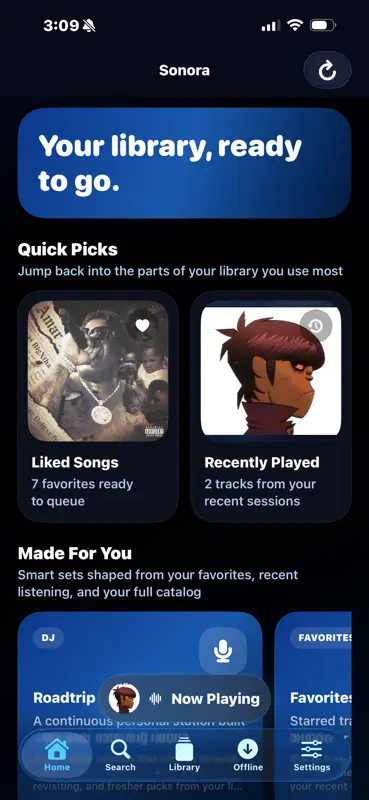
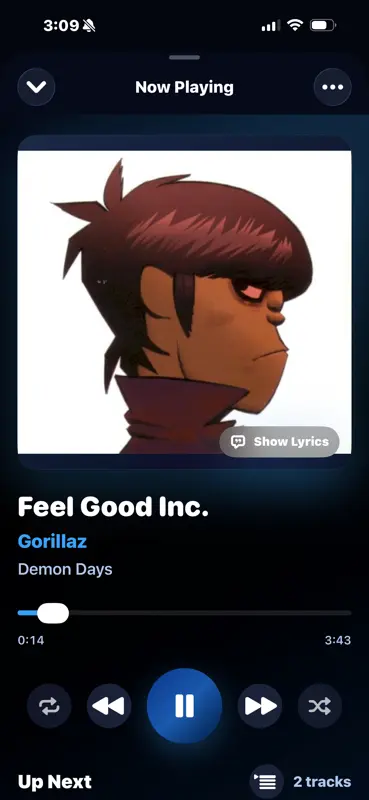
Sonora Home Screen Mockup

Built for the Ultimate Listening Experience

Roadtrip DJ Mode

Turn your library into a personal smart radio station. Instead of playing a rigid queue, it intelligently maps out seamless blocks of tracks from your favorites, listening history, and related genres, dynamically building a continuous mix as you listen.

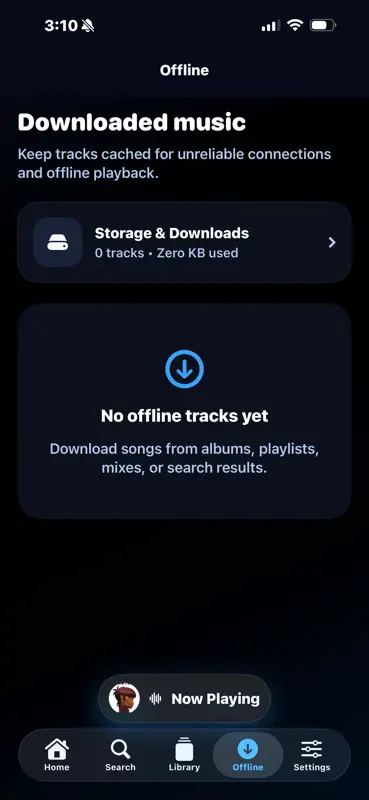
Offline Caching

Download tracks, albums, or entire playlists for offline playback. Includes a background download manager with real-time progress indicators and a standalone offline mode that handles transitions automatically if your server goes dark.

Full CarPlay Integration

Take your personal server layout on the road. Browse your home screen mixes, artists, custom playlists, genres, and downloaded music directly from your vehicle dashboard with fully integrated playback speed controls.

Local Library Indexing

Caches your server library locally for instant searching, filtering, and sorting. Effortlessly navigate thousands of songs, artists, and albums using a fast A-Z sidebar index.

Advanced Audio Tuning

Customize specific playback parameters and streaming configurations. Seamlessly supports true gapless playback, crossfade mixing, loudness normalization, volume leveling, and alternative audio processing modes.

Server Diagnostics

Keep precise track of your music instance. Monitor real-time reachability, toggle network layouts, track total library indexes, and trigger full database manual refreshes directly from the application settings.

Feature Spotlight

Meet Roadtrip DJ

The lean-back smart radio engine that ensures your music never stops, never repeats too quickly, and always fits the vibe.

Smart Audio Anchoring

Starts instantly by creating a fresh mix sequence anchored around your current track or recent listening history, ensuring every session begins with familiar territory before exploring your library.

Coherent Sequencing

Far more than a simple shuffle. The radio engine analyzes track metadata to balance genre transitions, group eras smoothly, and actively avoid playing too many tracks from the same artist or album back-to-back.

Self-Extending Queue

Sonora actively monitors your upcoming tracks. As your queue begins to wind down, the app automatically generates new blocks of related music ahead of time for uninterrupted listening.

Steer Your Station

Take control of how the radio tracks your library. Instantly recalibrate your mix on the fly with responsive steering profile controls:

More Familiar

Favors known favorites, frequently played albums, and artists closest to your starting track.

More Discovery

Loosens sorting boundaries to highlight newer additions and explore alternative genre lanes.

Keep This Vibe

Locks onto the specific genre lane, era, and musical style of the currently playing track.

Balanced

The default sweet spot blending personal staples with calculated library discoveries.

Robust Queue Management

Take charge of your media with complete queue management—including play next options, reordering tools, and the ability to instantly save your active queue directly into a personalized music playlist configuration.

  • Favorites: Instantly favorite tracks, albums, and artists anywhere across your player cards or navigation lists.
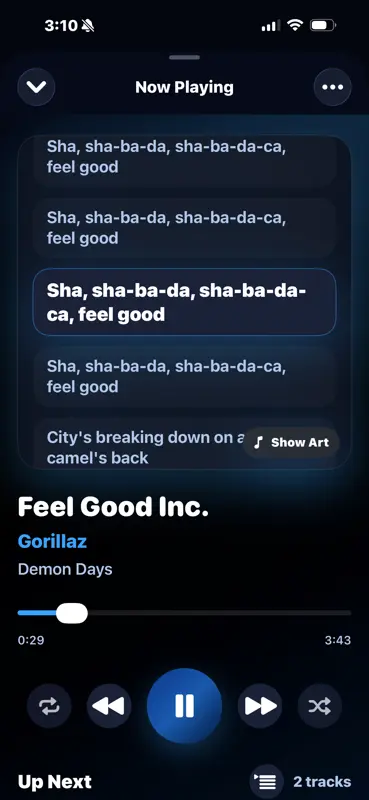
  • Lyrics Engine: View synced or static lyrics with a single tap, pulled straight from your server configuration.
Now Playing Screen Lyrics Interface

Smart Curation & Discoveries

Your personalized home layout populates dynamically with custom server shortcuts, trending items, and automatic index lists. Tap into "Made For You" smart mixes shaped directly around your favorites, genres, and historical listening data.

  • Network Flexibility: Seamlessly routes connection layouts over classic HTTPS networks, local HTTP configurations, or remote Tailscale setups.
  • Instant Stations: Spawn automated music streams instantly from any standalone track, artist profile, or album view.
Offline Mode Screen